

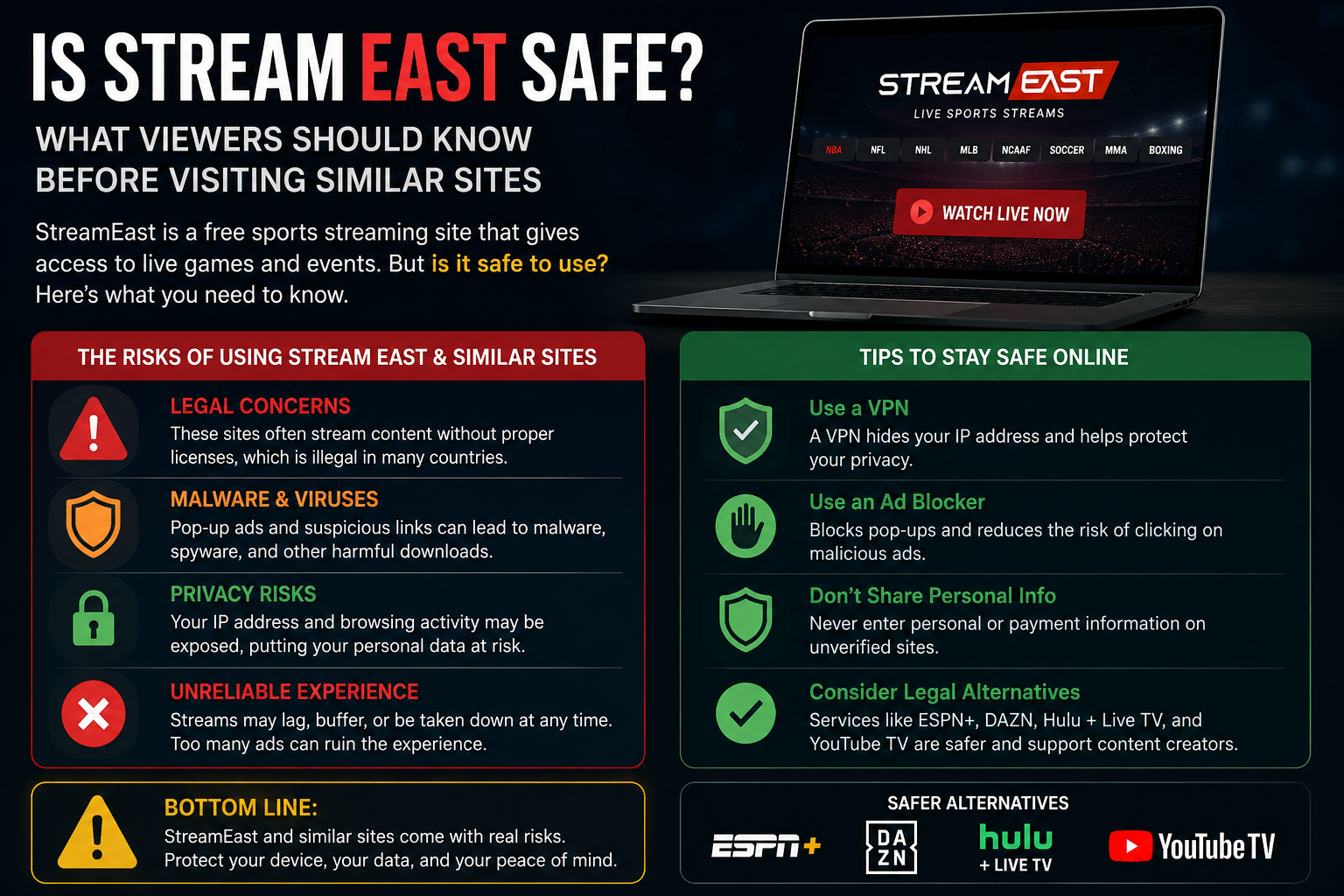
StreamEast became popular because it appeared to make live sport easy to find. Football, basketball, American football, boxing, mixed martial arts and motorsport could all be presented through one event schedule, without requiring visitors to move between several official broadcasting services.
That convenience did not remove the risks surrounding the platform.
The original StreamEast network distributed sporting events without the permission of the broadcasters and organisations that owned the rights. It was reported shut down in September 2025 following action involving Egyptian authorities and the Alliance for Creativity and Entertainment. ACE said the network had operated through 80 associated domains and attracted more than 1.6 billion visits during its final year.
The closure makes present-day safety questions more complicated. A website now using the StreamEast name may be a copied page, a repurposed domain or an unrelated service created to attract people who remember the former platform. Similar branding does not prove that two pages have the same owner, security standards or intentions.
For that reason, it would be misleading to describe every current StreamEast-style website as one service with one safety rating. The more useful approach is to understand the risks commonly associated with unofficial streaming pages and recognise the warning signs before interacting with them.
Is StreamEast Safe to Use?
StreamEast should not be treated as a safe or verified viewing service.
The original network was an unauthorised operation spread across numerous web addresses. Following its reported shutdown, pages still using the name cannot automatically be considered continuations of that service. Their owners, advertising partners and data practices may be unknown.
A visitor may encounter a page that appears relatively quiet, while another version opens several tabs, displays false warnings or asks for unusual permissions. Even the same domain can change over time if it is sold, redirected or updated by its operator.
FACT, the UK organisation working against intellectual-property crime, warns that illegal streaming websites and applications can expose users to malicious software, identity theft, scams and financial fraud. It also notes that these pages can look polished and similar to recognised services, making appearance alone an unreliable measure of trust.
The absence of an immediate problem does not prove that a website is safe. A visitor may leave without noticing that notification permission was granted, a file was downloaded or account details were entered into a third-party form.
Why Similar Sites Can Feel Trustworthy
Familiarity creates confidence.
Someone who previously used StreamEast may remember its colours, event listings and general layout. When a similar page appears, it can feel like a service they already know rather than a completely new website.
That feeling can be misleading.
Logos, league names, fixtures and countdown timers can all be copied. A new operator can reproduce the visible parts of a sports website without having any connection to the people who ran the earlier network.
A website can also call itself official, original, updated or verified without proving the claim. Those words are part of the page’s presentation; they are not an independent confirmation of ownership.
Following the shutdown announcement, the safest way to describe current pages is as websites using the StreamEast name. Whether any individual page has a genuine relationship with the former operation would require reliable evidence rather than a familiar design.
Readers who want the wider background can begin with our main StreamEast guide or read what happened to StreamEast.
The Main Risks Surrounding Unofficial Streaming Pages
The risks are not limited to poor video quality or an interrupted match.
Unofficial sports websites may depend on aggressive advertising networks and third-party video hosts. These services can introduce elements that the main page does not fully control, including redirects, pop-ups, deceptive buttons and misleading download prompts.
The most common concerns include:
- fake play buttons that open unrelated websites;
- repeated redirects and pop-up windows;
- false virus or security warnings;
- unwanted browser notifications;
- suspicious applications or extensions;
- forms collecting email addresses and passwords;
- unclear card-verification or subscription pages;
- tracking without meaningful privacy information;
- explicit or unsuitable advertising;
- unreliable streams that disappear during an event.
FACT publicised research in 2022 examining 50 illegal sports-streaming websites. All 50 sites analysed were reported to contain malicious content, more than 90% were classified as risky and more than 40% lacked a valid security certificate. The study also reported banking trojans, cryptocurrency scams and explicit pop-ups.
That research examined a particular group of websites and should not be interpreted as a measurement of every page now online. It does, however, demonstrate why an unfamiliar sports site should not be trusted simply because its player appears to work.
Can You Get Malware Just by Visiting?
The risk depends on what the page loads, what the browser allows and what the visitor does next.
FACT warns that illegal streaming and download websites can spread malicious software and says users may face so-called drive-by malware simply through visiting certain pages.
Modern browsers include protections designed to reduce this kind of threat, especially when the browser and operating system are fully updated. Those protections are not a reason to ignore warnings or treat every page as harmless.
The risk increases considerably when someone:
- downloads a file;
- installs an unfamiliar application;
- adds a browser extension;
- disables security protection;
- allows software from unknown sources;
- accepts repeated permission requests;
- follows instructions shown in a false security warning.
A page may claim that a special player or video codec is required. Established sports services normally play through a modern browser or a recognised application. An unknown website should not need to change the device’s security settings simply to display ordinary video.
Fake Play Buttons and Advertising Layers
One of the most recognisable features of unofficial streaming pages is the fake play button.
The visitor sees a large icon over the video and naturally assumes it controls the player. Clicking it opens a betting page, software promotion, survey or other advertisement instead.
Returning to the original tab may reveal another button underneath. That second button can also be an advertisement.
Several layers may need to be closed before the actual controls appear, if a working player exists at all.
This design is effective because sports viewers are often under time pressure. A match may have started, or the main event may be only minutes away. The visitor becomes more willing to click quickly and less likely to examine each destination.
A fake close button can work in the same way. Rather than removing an advertisement, it opens another page.
The safest response to repeated redirects is not to keep trying until the correct button appears. It is to leave the page.
Why StreamEast-Style Sites Keep Redirecting
Redirects often generate revenue for the website or its advertising partners.
Each click can send the visitor to a new service, sometimes through several intermediate domains. The destination may be a legitimate advertisement, but it could also be a fraudulent offer, an unregulated gambling page or a download presented as essential software.
Some redirects imitate security messages.
A page may claim that the phone has several viruses, the browser is dangerously outdated or an account has been compromised. The warning might use the device manufacturer’s name and colours to appear authentic.
These messages are part of the website. They are not reliable simply because they look like operating-system alerts.
Genuine browser and device updates should be installed through the device settings, the official developer website or a recognised application store. They should not be downloaded through an advert covering a sports player.
The National Cyber Security Centre warns that fake websites may be designed to download viruses or steal passwords and personal information. It advises users not to click links or enter information on a suspicious website.
Browser Notifications Are Easy to Approve by Mistake
A notification prompt may appear before a visitor reaches the player.
The page might suggest that pressing “Allow” is required to confirm that the visitor is not a robot, continue to the event or close an advertisement. In reality, the permission allows the website to send browser alerts later.
Those notifications can continue after the match and after the original tab has been closed.
They may imitate:
- breaking-news alerts;
- missed messages;
- delivery notifications;
- prize announcements;
- virus warnings;
- account-security messages.
Clicking one may reopen the same advertising network or lead to a different suspicious website.
A person who has approved notifications accidentally should open the browser’s site-permission settings and remove or block the unfamiliar domain. There is no need to interact with the notifications themselves.
Does the Padlock Mean the Site Is Safe?
No.
The padlock beside a web address normally means that the connection between the browser and the website is encrypted. This helps prevent another party from easily reading the information while it travels across the connection.
It does not confirm that the website’s owner is trustworthy.
A deceptive website can use an encrypted connection. The information may reach the intended server securely while still being collected by a dishonest operator.
The padlock does not prove that:
- the sports broadcasts are authorised;
- the company is genuine;
- personal information will be handled properly;
- a payment will not create an unwanted subscription;
- downloads are free from malicious software;
- the website is connected to the original StreamEast network.
Encryption is an important technical protection, but it is not a certificate of honesty.
Should You Create an Account?
An unfamiliar sports website should not need extensive personal information simply to show a public event schedule.
Registration forms may ask for an email address, username and password. Some pages claim that an account is required for age verification, regional confirmation or access to a better-quality player.
Before entering anything, consider who operates the website and why the information is necessary.
A serious risk appears when someone reuses an existing password. If the same password protects email, shopping, social media or another important account, it could be tested against those services.
Email access is especially valuable to criminals because it can be used to reset passwords elsewhere.
The NCSC recommends protecting email with a strong, separate password and turning on two-step verification where available.
A new password used only on an unfamiliar site limits password-reuse damage, but it does not make the service trustworthy. Avoid registration entirely when ownership and privacy practices cannot be verified.
Should You Enter Card Details for “Free Verification”?
A website offering free coverage should not need full payment details merely to prove that a visitor is human or located in an eligible region.
A small verification charge may begin a recurring membership. In other cases, the visitor may be passed to an unrelated subscription service while the sports imagery remains around the form.
Before entering card details, a genuine service should clearly identify:
- the company receiving the payment;
- the exact amount being charged;
- whether the payment will renew;
- the renewal price and frequency;
- the service being purchased;
- the cancellation procedure;
- a working customer-support route.
A countdown to kick-off should not be allowed to replace these basic checks.
FACT warns that illegal streaming services can expose viewers to financial fraud and identity theft, while GOV.UK guidance says the risk increases when card details are shared with unregulated websites.
Someone who has already submitted banking or card information on a suspicious page should contact the bank immediately. The NCSC also advises cancelling affected cards through online banking where possible and reporting losses through the appropriate fraud-reporting service.
Are StreamEast Apps Safe?
An application using the StreamEast name should not be assumed to come from the former platform.
A third party can create an app, use a familiar icon or package an ordinary webpage inside an installation file. The application may have no connection with the website the visitor remembers.
Direct downloads are particularly concerning when the user is instructed to allow installation from unknown sources.
That setting exists to prevent unreviewed software from being installed without clear permission. Changing it for one supposed streaming app can expose the device to wider risk.
Applications can request much more access than a normal browser tab. Depending on the device, they may ask for access to:
- storage and photographs;
- notifications;
- location;
- the microphone;
- contacts;
- installed applications;
- network information.
A basic sports player should not need access to contacts, messages or unrelated personal files.
Applications in recognised stores should still be checked carefully. Look at the developer’s identity, earlier applications, update history, privacy information and requested permissions rather than relying on the app name.
Our separate StreamEast app guide examines unofficial installation files, web wrappers and the differences between browser-based viewing and installed software.
Browser Extensions Can See More Than Expected
A website may claim that an extension is needed to improve picture quality, remove buffering or unlock the player.
Extensions can have powerful permissions.
Depending on what the user approves, an extension may be able to read and change information on websites, modify pages, observe browsing activity or insert its own advertisements.
This means a harmful extension can affect online banking, email and shopping pages long after the visitor leaves the sports website.
The NCSC notes that browsers are attractive targets because they are used to reach sensitive online services and can be extended or heavily configured. Keeping their configuration secure helps reduce exposure.
Do not install an unknown extension to satisfy a streaming page. If the video cannot work without one, leave the page.
Is StreamEast Safe on a Mobile Phone?
Mobile devices introduce additional difficulties because deceptive controls are compressed onto a smaller screen.
A full-page advertisement can resemble a system message. A fake close icon may sit close to the genuine browser controls, and an accidental tap can open a download or external application.
Phones also contain large amounts of personal information.
Many users remain signed in to email, banking, shopping and social accounts. Saved passwords, payment methods and private photographs may all be present on the device.
Installing an unknown app or accepting unnecessary permissions can therefore affect much more than one viewing session.
Live video also consumes considerable data. Repeated redirects, background adverts and automatic video playback can add to that usage.
The sensible mobile approach is to keep the operating system and browser updated, avoid unknown installation files and deny permissions that are unrelated to ordinary video playback.
Is a Smart TV Safer Than a Computer?
A smart television may feel safer because it contains less personal information than a phone or laptop, but that does not make an unknown streaming page trustworthy.
Television browsers can be difficult to navigate. Users may struggle to inspect the full web address, close advertising layers or review browser permissions with a remote control.
Some televisions also receive updates less frequently than current phones and computers.
Casting from another device changes the screen displaying the video, not the source. If the website is unauthorised or deceptive on a phone, casting it to a television does not remove those concerns.
Streaming sticks are legitimate products when used with official applications. Problems begin when a seller or website instructs users to install unknown packages, modify the device or purchase unlicensed access.
GOV.UK warns that illegal streaming boxes and apps may lack parental controls, exposing children to explicit or age-inappropriate advertising. It also notes that some illegal devices and power cables may fail product-safety standards.
Can Children Encounter Inappropriate Content?
Yes, particularly through uncontrolled advertising and pop-ups.
A sports page may appear suitable for the whole family, but the advertisements surrounding the player can come from unrelated networks. They may promote adult material, gambling or disturbing scare messages.
FACT reports that illegal streaming services can expose viewers to inappropriate content and may lack the parental protections expected from licensed platforms.
This risk is easy to underestimate when the family is focused on a football match or another mainstream event.
A page can change suddenly after a click, filling the screen with material that has nothing to do with sport. On a shared television, everyone in the room may see it before the tab can be closed.
Official broadcaster applications generally provide more predictable advertising standards, account controls and age-related protections.
Is StreamEast Legal in the UK?
Safety and legality are separate questions, but they are connected.
A website can be technically secure while distributing content without permission. It can also be both unauthorised and unsafe.
The former StreamEast network was described by ACE as an illicit sports-piracy operation that redistributed content from major football competitions, American leagues, combat sports and motorsport.
UK government guidance says accessing protected content through an unauthorised website, application, add-on or modified device infringes copyright and may amount to a crime. It also warns that illegal streaming can expose people to fraud, malware and data theft.
The legal consequences depend on the conduct and circumstances. Operating, selling or supplying unauthorised access is not identical to every form of viewing.
Readers who need advice about a particular situation should consult a qualified UK legal professional. Our detailed article on whether StreamEast is legal in the UK explains the general position without replacing individual legal advice.
What Should You Check Before Trusting a Sports Website?
A quick assessment can reveal whether a website deserves further attention.
Look for a real organisation
A legitimate broadcaster should identify the company operating the service. Check for meaningful contact details, terms, privacy information and customer support.
A generic contact form without a company name is weak evidence of accountability.
Confirm the broadcast rights
Check the official league, competition, club or event website. It should identify the authorised broadcaster for the United Kingdom.
Do not rely on a claim made only by the streaming page itself.
Examine what the page asks you to do
A website that immediately requests notifications, software installation or payment information deserves caution.
These steps are not normally required simply to read an event schedule.
Read payment terms carefully
Do not approve a small verification payment without understanding whether it begins a subscription.
The legal company name and renewal price should be clear before any card information is submitted.
Keep security protections active
Do not disable browser warnings, antivirus protection or device safeguards to make an unknown player work.
A sports stream is not worth weakening the protection around email, banking and personal files.
Leave when the behaviour changes
Repeated redirects, false warnings and forced downloads are not ordinary parts of a reliable viewing service.
Closing the page is safer than continuing to experiment with each button.
What If You Only Opened the Website?
Opening a suspicious website does not automatically mean the device has been infected.
The NCSC says that when someone has clicked something suspicious but has not entered personal information, downloaded files or installed software, further action is unlikely to be needed. The user should still remain alert for unusual messages or account activity.
Close the website and any tabs it opened.
Check the browser’s download list to make sure nothing was saved unexpectedly. Review notification permissions when the page asked for them.
Keep the device and browser updated, and pay attention to unusual behaviour over the following days.
Signs that deserve further investigation include:
- unfamiliar pop-ups appearing outside the browser;
- new applications or extensions;
- unexplained changes to the homepage or search engine;
- programs opening or closing unexpectedly;
- unusual account-login alerts;
- unexplained card transactions;
- severe slowdown or repeated restarts.
These signs can have innocent explanations, but they should not be ignored after a suspicious download or installation.
What If You Downloaded or Installed Something?
Do not open a downloaded file simply to find out what it contains.
When software has already been installed, disconnecting from sensitive accounts and running a security scan is sensible. The NCSC advises users who followed instructions to install software to run a full antivirus scan and allow trusted security software to deal with anything it finds.
On a computer, update the operating system, browser and installed security tools before scanning.
On a phone or tablet, remove the unfamiliar application and review its permissions. More serious or persistent signs of compromise may require expert assistance or, in some cases, resetting the device.
The NCSC lists possible infection signs including unexpected applications opening, unfamiliar pop-ups, severe slowing, spontaneous reboots and messages being sent from the user’s accounts without permission.
Do not follow cleanup instructions supplied by the website that caused the concern. Use the device manufacturer, trusted security software or a reputable technician.
What If You Entered a Password?
Change it immediately.
Also change the password on every other account where the same or a closely related password was used. Begin with the email account because access to email can help an attacker reset other services.
Turn on two-step verification or a passkey where available.
Review recent login activity and sign out unfamiliar devices or sessions. Look for password-reset messages that you did not request.
The NCSC specifically advises changing passwords on any accounts that use the same password after details have been shared with a suspected scammer.
Do not attempt to delete the suspicious streaming account by entering the password again. That simply confirms that the credentials remain active.
What If You Entered Bank or Card Details?
Contact the bank or card provider straight away using the number on the card, the official banking application or the provider’s genuine website.
Do not use contact information shown on the suspicious streaming page.
Explain what information was submitted and whether a payment was approved. The provider can advise whether the card should be frozen, replaced or monitored.
The NCSC recommends contacting the bank immediately after sharing banking details. When money has been lost, users in England, Wales and Northern Ireland should report it through the national fraud-reporting service; people in Scotland should contact Police Scotland.
Continue checking statements for recurring payments. A small initial charge can sometimes be followed by a larger subscription fee.
Can You Report a Suspicious Website?
Yes.
The NCSC accepts reports of suspicious websites and says reports can help it investigate and remove malicious pages. Visitors do not need to be certain that a site is a scam before reporting it.
Keep the address if it can be copied safely from the browser, but do not reopen the page solely to collect evidence.
When money has been lost or an account has been compromised, contact the bank and the appropriate fraud-reporting service as well.
Reporting a page may protect other people who would otherwise encounter the same download, payment form or fake warning.
Safer Ways to Watch Live Sport
A safer alternative does not always mean maintaining every sports subscription throughout the year.
Start with the official website of the league, tournament, club, promoter or governing body. These sources usually identify the authorised UK broadcaster.
Then check the broadcaster’s schedule to confirm that the particular event is included. Rights can be divided between competitions, so a service carrying a club’s league matches may not show its cup or European fixtures.
Other options may include:
- free-to-air broadcasts of selected major events;
- flexible monthly subscriptions;
- official league passes;
- pay-per-view purchases from recognised providers;
- licensed public venues;
- official radio commentary;
- live text coverage;
- authorised highlights and replays.
Our guide to legal StreamEast alternatives for UK sports fans explains these options in more detail, while finding the official broadcaster provides a practical way to check individual events.
The Sensible Answer to the Safety Question
StreamEast should not be regarded as a verified or dependable service.
The original network was reported dismantled, and present-day websites using the name may have different owners, advertising arrangements and intentions. A familiar appearance cannot establish that a page is connected with the former operation or that it will treat visitors safely.
The greatest risks often begin when the viewer goes beyond simply opening the page.
Allowing notifications, installing software, adding an extension, reusing a password or entering card details gives an unknown operator much more access and information.
A stream that requires those steps is not offering a reasonable exchange.
Keep browser and device protections active. Leave pages that repeatedly redirect or display false warnings. Use unique passwords, protect the email account with two-step verification and contact the bank immediately when payment information may have been exposed.
Most importantly, do not let the pressure of a starting match turn a familiar name into automatic trust.
Stream-east.org.uk is an independent informational publication. It is not affiliated with the former StreamEast network or with current websites using similar names. It does not host live sporting events or provide links to unauthorised broadcasts.