

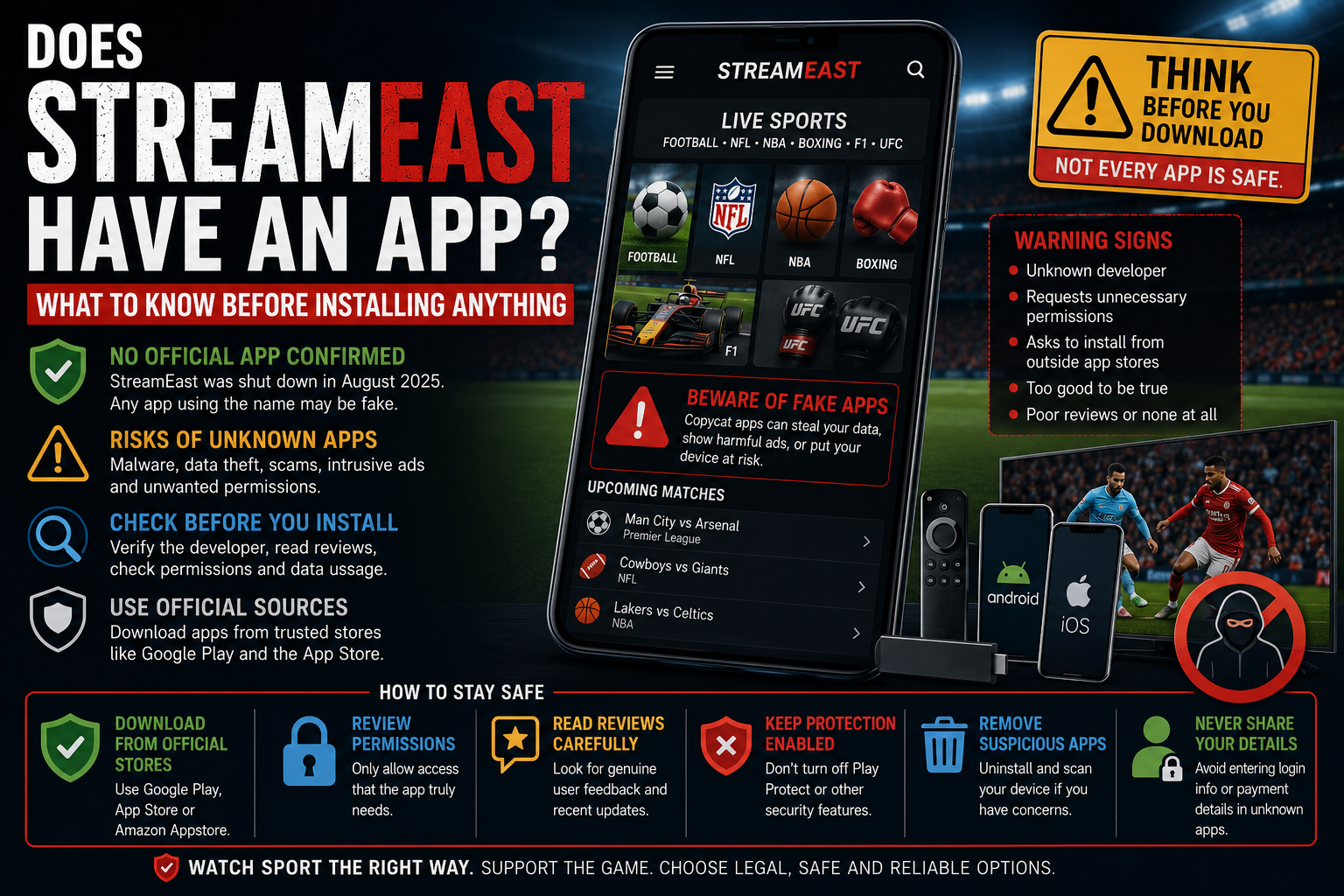
A StreamEast app can sound more convenient than opening a sports website in a browser. An application promises quicker access, a cleaner schedule and an easier way to watch on a phone, tablet or television.
That promise should be treated carefully.
The original StreamEast network was reported dismantled in August 2025, with its shutdown publicly announced on 3 September. The Alliance for Creativity and Entertainment said the operation had used 80 associated domains and attracted more than 1.6 billion visits during its final year.
Because that network was shut down, there is no reliable reason to assume that an application currently using the StreamEast name is an official continuation of the former service. It may be an unrelated app, a simple wrapper around a website, a copied product or software using a familiar name to attract downloads.
The name and logo do not verify the developer.
An app may look professional, display current fixtures and carry recognisable football, NFL, NBA, boxing or Formula 1 imagery. Those details can all be copied without establishing any relationship with the former StreamEast operation.
This guide explains what people usually mean when they refer to a StreamEast app, how to examine an unfamiliar download and what to do when software has already been installed.
Was There an Official StreamEast App?
StreamEast was primarily known as a browser-based network of sports-streaming websites rather than a recognised application distributed by an established broadcaster.
Websites connected with the name could be opened through a normal browser on a phone, tablet, computer or smart television. Some visitors may have added a shortcut to their home screen, making the website appear and behave more like an application.
That shortcut is not the same as a native app.
A native application is installed on the device and can request access to its storage, notifications, camera, microphone, location and other functions. A home-screen web shortcut generally opens a website through the browser and remains subject to the browser’s protections.
Third parties can also package a webpage inside a basic application. This is sometimes known as a web wrapper. The app may look independent, but most of its content is simply loaded from an external website.
A wrapper is not evidence that the developer owns or operates the website it displays.
Following the original network’s shutdown, an app claiming to be the official StreamEast application deserves particular caution. The former service no longer provides a dependable identity against which that claim can be checked.
Why Do Apps Still Use the StreamEast Name?
The StreamEast name remains valuable because a large audience already recognises it.
Millions of people associated the name with live football, American sports, combat sports and motorsport. After the original operation disappeared, other developers and website owners could use similar wording to attract that existing audience.
An application may include StreamEast in its title even when it:
- belongs to a completely different developer;
- provides only fixture information;
- opens an unrelated streaming website;
- collects links from several third-party pages;
- displays advertising without showing live sport;
- redirects users towards paid subscriptions;
- copies the branding of the former network;
- has no relationship with the original operators.
The same issue affects websites using StreamEast, Stream East and East Stream variations. All domain and address versions are discussed together in our StreamEast addresses guide rather than being presented as confirmed replacements.
A familiar name should be treated as a description chosen by the publisher, not proof of ownership.
An App-Store Listing Does Not Prove Affiliation
Finding an application in a recognised store is safer than downloading an unknown installation file, but it does not establish that the app represents the organisation named in its title.
Apple says apps submitted to its App Store are reviewed, while Google requires applications on Google Play to follow platform policies and provide information about their handling of user data.
These processes help reduce risk, but users must still examine who published the app.
A third-party developer may create a sports-results application and use a familiar phrase in its title. Another may offer fixtures, scores or links while appearing close enough to the former StreamEast branding to create confusion.
Before installing, check:
- the developer’s exact name;
- the developer’s other applications;
- how long the app has been available;
- whether the privacy policy identifies a real company;
- what information the app says it collects;
- whether the description promises unauthorised live sport;
- whether the screenshots match the application’s actual purpose;
- whether permissions make sense for its features.
A genuine broadcaster should be easy to verify through its official website. Its website will normally link directly to the correct store listing, reducing the risk of downloading an imitation with a similar name.
The Developer Matters More Than the App Name
Application names are not always unique.
Several developers can publish apps with similar wording, especially when the title includes general terms such as live sport, football stream or sports TV.
A logo can be copied just as easily as a website design.
The developer identity provides a stronger starting point. A recognised broadcaster’s app should be published by that broadcaster or its clearly identified technology partner.
Look at the developer page rather than stopping at the first search result.
A publisher with no company website, no other credible products and a generic support address deserves more scrutiny than an established media organisation with a consistent application history.
Reviews can be useful, but they should not be treated as final proof. Some may describe an older version, focus only on whether the video worked or fail to notice what information the app collected.
Very enthusiastic reviews posted within a short period can also create a misleading impression.
What Is a StreamEast APK?
Android applications can be distributed through installation files commonly described as APKs.
A website may offer a StreamEast APK directly instead of sending the visitor to Google Play. The page may describe the file as a faster player, an advertisement-free version or an essential update.
Installing it usually requires the user to allow applications from outside the device’s normal store.
That step is often called sideloading.
Sideloading is not automatically malicious. Developers and organisations use it for legitimate testing and private distribution. The difficulty is that an ordinary user may have no practical way to confirm who created an unfamiliar file or whether it was modified before reaching them.
The UK National Cyber Security Centre recommends downloading applications from official stores or trusted official websites. Its current device guidance notes that built-in stores review applications before release so that security issues can be checked.
A streaming page asking someone to weaken installation protections should not be trusted merely because the event is about to begin.
Why Unknown Installation Files Carry More Risk
An ordinary website operates within the browser. An installed application can receive much broader access when the user approves its requests.
Depending on the device and permissions, software may be able to:
- send notifications;
- access photographs or other stored files;
- use the microphone or camera;
- view location information;
- run in the background;
- open external websites;
- read device identifiers;
- connect to advertising networks;
- display content over other applications.
Not every permission is dangerous by itself. A video-calling app reasonably needs the camera and microphone. A maps app may need location access.
A basic sports schedule or video player should have a much narrower purpose.
An app using the StreamEast name does not need access to contacts, text messages, call history or unrelated personal files simply to display fixtures or play video.
When the permission request does not match the promised feature, deny it and reconsider whether the application should remain installed.
Google’s policies state that requests for sensitive permissions should be necessary for the features described in an app’s listing. Android users can review and change permissions through the device’s application settings.
What Google Play Protect Does
Google Play Protect is built into Android devices that support Google Play.
It checks applications from Google Play before download, scans the device for potentially harmful behaviour and can examine software installed from other sources. Google says it may warn about, disable or remove applications considered harmful.
Play Protect should generally remain enabled.
A website may instruct users to switch it off because the StreamEast app has been “incorrectly detected.” That explanation should not be accepted without strong evidence from a verified developer.
Disabling the protection simply to install an unknown streaming application removes an important warning layer.
A Play Protect warning does not always establish that an app was deliberately created as malware. It does mean Google has identified behaviour, reputation or verification issues serious enough to interrupt the installation.
The safest response is to cancel rather than forcing the file onto the device.
After installing a suspicious app, Android users can open Google Play, access Play Protect and run a scan. They should also remove the application and review any permissions it previously held.
Checking the Data Safety Information on Google Play
Google Play includes a Data safety section on application listings.
Developers use it to describe the categories of information their applications collect, share and protect. Google requires developers publishing through Play to complete this information and keep it consistent with their privacy policies.
The section can reveal whether an app claims to collect:
- location;
- personal information;
- financial information;
- application activity;
- device identifiers;
- photographs or videos;
- messages or contacts.
Read the section before installing rather than after creating an account.
The information is supplied by the developer, so it should be considered alongside the publisher’s identity, permissions and privacy policy. It is a useful transparency tool, not an independent guarantee that every disclosure is perfect.
An application that claims not to collect information but immediately asks for unnecessary account details deserves caution.
What Apple’s App Store Review Means
Apple reviews applications before they are accepted into its App Store and provides privacy information on store listings to help users understand an app’s stated data practices.
For UK iPhone and iPad users, the App Store is the normal place to find and install consumer applications. Apple’s support guidance directs users to browse and download through the App Store.
An app appearing there is preferable to an unknown website instructing users to install profiles, certificates or unusual configuration files.
The same identity checks still matter.
Look at who published the application, its privacy information and what it actually promises. An app can use sports-related wording without having any connection with a former streaming website.
Do not trust a message claiming that an iPhone must be “unlocked” or configured specially to watch a normal sports video.
Official broadcasters distribute their applications through recognised channels and explain device requirements on their own websites.
StreamEast on Fire TV and Firestick
Fire TV devices support legitimate sports applications through the Amazon Appstore.
Amazon’s consumer guidance directs users to search for applications through the Fire TV menu or Amazon Appstore and download them from there.
A StreamEast website may instead instruct viewers to enter a code, visit a download page or install an application from outside the store.
That process deserves caution.
Fire TV is a legitimate streaming platform, and sideloading can have lawful technical uses. The device does not make an unknown sports application safe, official or licensed.
Before adding any software, check whether the service is identified by a recognised broadcaster and whether the broadcaster itself provides Fire TV installation instructions.
A private message, social-media comment or pop-up advertisement is not a reliable source.
An app that cannot be found through the device’s normal store may be outdated, unreviewed or deliberately distributed outside the platform’s protections.
The NCSC’s advice remains relevant: use official stores or the genuine website of a verified provider rather than links supplied through adverts and unsolicited messages.
StreamEast on Android TV
Android TV devices can also install applications through Google Play.
Google Play Protect checks supported Android TV devices for potentially harmful applications, including software from sources outside Google Play. It can warn users and may disable or remove applications when harmful behaviour is detected.
A website should not ask viewers to turn off Play Protect to make an unofficial sports app work.
Large-screen viewing does not reduce the risks created by unknown software. A television application may still connect to external servers, collect device information, open advertisements and request account details.
Television screens also make it harder to inspect privacy policies, full URLs and permission explanations.
Installing through the recognised store provides a clearer developer identity, update route and uninstallation process.
Is a Home-Screen Shortcut an App?
A home-screen shortcut can make a website look like a normal application.
On a phone or tablet, the shortcut may have its own icon and open in a window with fewer visible browser controls. This is sometimes known as a progressive web app or web application.
The shortcut does not necessarily install the same type of software as a native app.
It may still load all its information from the website each time it opens. If the website changes ownership, redirects or disappears, the shortcut changes with it.
A home-screen icon therefore does not prove permanence or legitimacy.
Removing the shortcut does not always clear the website’s stored data or notification permission. Those may need to be removed separately through the browser settings.
Readers experiencing redirects or unusual alerts should follow the steps in our StreamEast safety guide.
Why an App May Be Only a Web Wrapper
A web wrapper places a website inside an application window.
From the user’s perspective, it can feel like a dedicated product because it has an icon and can be opened from the app list. In practice, the content may be identical to visiting the underlying website in a browser.
A wrapper can reproduce all the weaknesses of the webpage:
- unreliable video sources;
- redirects;
- third-party advertising;
- changing domains;
- misleading registration forms;
- poor privacy information.
It can also add another layer of tracking through the application itself.
Before installing, consider whether the app offers a genuine feature that the website does not. When it merely opens the same page, the additional software may provide little benefit while creating more permissions and data collection.
Why Does a StreamEast App Ask for Notification Permission?
Sports applications use notifications legitimately for scores, fixture reminders and breaking news.
An unfamiliar app may use the same explanation while sending advertisements, subscription offers or links to unrelated websites.
Notification access allows the app to reach the user after it has been closed.
The alerts may imitate:
- match updates;
- account warnings;
- device-security messages;
- prize announcements;
- payment failures;
- urgent application updates.
Review the notification content carefully. A sports application should not send virus warnings or pressure users into installing other software.
Notifications can be turned off through the device’s application settings. Removing the permission does not require opening or responding to the alert itself.
Does a Sports App Need Your Location?
Some legitimate sports applications use location to determine regional broadcasting availability, show nearby venues or deliver local information.
A general fixture or video app may not require precise location at all.
When an unfamiliar StreamEast-style app requests permanent location access, check whether the feature is clearly explained.
“Allow only while using the app” is generally more limited than permanent background access when location is genuinely necessary.
Denying location should not prevent an ordinary schedule from displaying.
A developer asking for precise location without a clear reason may be using it for advertising, analytics or another purpose unrelated to the viewer’s immediate request.
Check the store’s privacy information and the application’s policy before approving the request.
Does the App Need Access to Photos or Storage?
A video application may need limited storage access to save downloads or cache temporary files.
That does not justify unrestricted access to a person’s photographs and documents when the app has no genuine download feature.
Modern devices increasingly allow users to select individual photographs rather than giving an application access to the entire library.
Use the most limited option available.
An app that refuses to work unless it can examine unrelated personal files should not be treated as a normal sports player.
Unknown installation files can also place additional files on the device. This is one reason software from an established store is preferable: it provides a clearer update and removal process.
Camera, Microphone and Contacts Requests
A standard live-sports app should rarely need access to contacts.
Camera or microphone access might be used for profile photographs, voice search or interactive features, but those uses should be clearly explained and optional.
An application that requests all three permissions immediately after installation is asking for far more than is required to show a fixture list.
Deny the requests and check whether the basic app continues to work.
When a permission is essential, the developer should explain exactly why and connect it to a visible feature.
Google’s policies require sensitive permission requests to relate to current, disclosed functionality.
An unknown app seeking broad access without explanation should be removed rather than given the benefit of the doubt.
Account Creation and Password Reuse
An app may ask viewers to register before showing any content.
The form could collect an email address, phone number and password even when the developer has not clearly explained who operates the service.
Never reuse the password protecting email, banking, shopping or social accounts.
A password collected by an unknown service can be tested elsewhere. Email is particularly important because it is often used to reset other accounts.
A legitimate application should provide clear account terms, password-recovery information and a real support route.
A generic login page inside a copied sports app offers none of those assurances.
Use the StreamEast safety guide for steps to take after entering a reused password on a suspicious page or application.
Card Verification and In-App Payments
A supposed free app may ask for card details to verify age, region or identity.
Those explanations should not be accepted automatically.
A small verification payment may start a recurring subscription, while the company receiving the money may have no relationship with the sports branding shown in the app.
Before making any purchase, the application should clearly state:
- the legal name of the seller;
- the service being purchased;
- the exact amount;
- whether the payment renews;
- the future renewal price;
- how to cancel;
- whether the company holds the required broadcast rights.
Payments processed through a recognised app store provide a clearer receipt and subscription-management route than card details entered into an unknown form.
They do not prove that the underlying sports coverage is authorised, but they make the commercial relationship easier to identify.
Someone who has already entered card details into a suspicious app should review transactions and contact the bank or card provider when an unknown charge appears.
Fake Updates Can Replace the Original App
An application may appear harmless when first installed and later prompt the user to download an update from a separate website.
This bypasses the store’s normal update system.
Official store applications should usually update through the store itself. The NCSC recommends installing software and application updates promptly because they include security fixes, but updates should come through trusted channels.
Do not install an update received through:
- an advertising pop-up;
- a private message;
- an unrelated website;
- an email from an unknown sender;
- a shortened link;
- a notification that cannot be verified inside the official store.
A genuine developer can publish an updated version through its recognised distribution channel.
An external “critical update” may be an attempt to replace the original application with different software.
Signs an App Should Not Be Installed
Walk away when an application or download page:
- claims to be official without identifying its developer;
- instructs users to disable Play Protect;
- asks for installation from an unknown source;
- requests contacts, messages or call information;
- demands card details for free verification;
- offers every premium sports channel for a very low fee;
- has no meaningful privacy policy;
- redirects through several unrelated websites;
- begins downloading before permission is given;
- uses a different name after installation;
- shows advertisements outside the app;
- sends security warnings through notifications;
- asks users to install another player or extension;
- promises access through a code shared in comments or private groups.
A viewer does not need to prove that the app is malicious before declining to install it.
The absence of verifiable ownership is enough reason to choose a recognised sports service instead.
What to Do After Installing a Suspicious StreamEast App
Remove the application from the device.
Then review the permissions it held. On Android, these can be found in the application settings, where users can see and change access to areas such as the camera, microphone and location.
Run Google Play Protect on a compatible Android device. For Fire TV, Android TV or another platform, use the device’s built-in security and application-management tools.
Check for additional applications installed around the same time. Some downloads attempt to add more than one component.
Review browser notifications and extensions as well, particularly when the app originally came from a streaming website.
Update the operating system and legitimate applications. The NCSC recommends keeping devices and applications current because updates include protections against malware and other security threats.
When the device continues showing unusual adverts, opening applications by itself or changing settings unexpectedly, professional assistance or a full reset may be needed.
The NCSC advises keeping devices updated, backing up important data and using appropriate security protection after suspected infection.
What to Do After Entering Login Details
Change the password immediately.
Also change it anywhere else the same password was used. Begin with the connected email account because control of email can help someone reset other services.
Turn on two-step verification where available and review recent account activity.
Sign out devices or sessions that are not recognised.
Do not reopen the suspicious application to change the password inside it. That can confirm the account remains active or expose the new password to the same service.
A password manager can help create a unique password for each legitimate account. Download password-management software only from the provider’s verified store listing or official website, as the NCSC advises.
What to Do After Making a Payment
Use the official bank or card-provider application to review recent transactions.
Contact the provider when:
- the seller name is unfamiliar;
- a small verification charge appears;
- a recurring payment begins;
- the amount differs from what was shown;
- the cancellation process does not work;
- further payments appear after the app is removed.
Do not call a phone number displayed inside the suspicious app.
Use the number printed on the card or the contact route inside the bank’s recognised application.
Keep receipts, screenshots and subscription emails. They can help the provider understand what happened.
Removing the application does not automatically cancel a subscription. Check the Apple, Google, Amazon or other payment account separately when the purchase was processed through a store.
Is It Safe After Uninstalling?
Uninstalling removes the application itself, but it may not reverse everything that happened while it was installed.
The app may already have:
- collected account details;
- sent data to an external server;
- created a subscription;
- added browser permissions;
- downloaded another file;
- persuaded the user to install a profile or extension.
This is why the follow-up checks matter.
Change exposed passwords, review payments, remove notification permissions and scan the device.
When no unusual permissions were granted and no information was entered, uninstalling and running the normal security checks may be sufficient.
Remain alert for unexpected login messages, password-reset emails and card activity.
Better Apps for Watching Sport
The safest app is normally the one linked directly by the authorised broadcaster or league.
Depending on the sport, UK viewers may use applications from recognised providers such as:
- Sky Sports;
- NOW;
- TNT Sports or its current streaming partner;
- DAZN;
- Prime Video;
- official league services;
- BBC iPlayer;
- ITVX;
- Channel 4;
- Channel 5;
- S4C;
- recognised club and governing-body platforms.
Availability depends on the competition and season.
Before installing, visit the broadcaster’s genuine website and follow its store link. This avoids relying on several similarly named search results.
Our guide to legal StreamEast alternatives for UK sports fans explains which types of services cover football, Formula 1, NFL, NBA, boxing and other sports.
Check the Event Before Downloading Another App
Sports viewers often accumulate applications because each event appears to use a different service.
Before installing something new, confirm:
- which organisation owns the event;
- which broadcaster has the UK rights;
- whether an existing household package includes it;
- whether the event is sold separately;
- whether free-to-air or official highlight coverage is available;
- which store listing the broadcaster links to.
This takes a few minutes and reduces the chance of installing a copied product in the final moments before kick-off.
Our official sports broadcaster guide provides a straightforward checking process.
A Browser Shortcut Is Not Worth Weakening Device Security
The attraction of a StreamEast app is convenience.
A single icon appears easier than searching through broadcasters and fixtures. That convenience has little value when the developer cannot be identified or the app requires security protections to be disabled.
The original StreamEast network was reported dismantled. A present-day application using its name should therefore be treated as an independent product unless reliable evidence establishes who created it.
Check the developer rather than the logo.
Use recognised application stores and follow links from the broadcaster’s own website. Keep Play Protect and other built-in safeguards active. Deny permissions that do not match the app’s purpose, and never install an unknown file because a countdown says the match is about to start.
Stream-east.org.uk is an independent informational publication. It is not affiliated with the former StreamEast network or with applications currently using similar names. It does not distribute application files, host live sports broadcasts or provide access to unauthorised streams.