

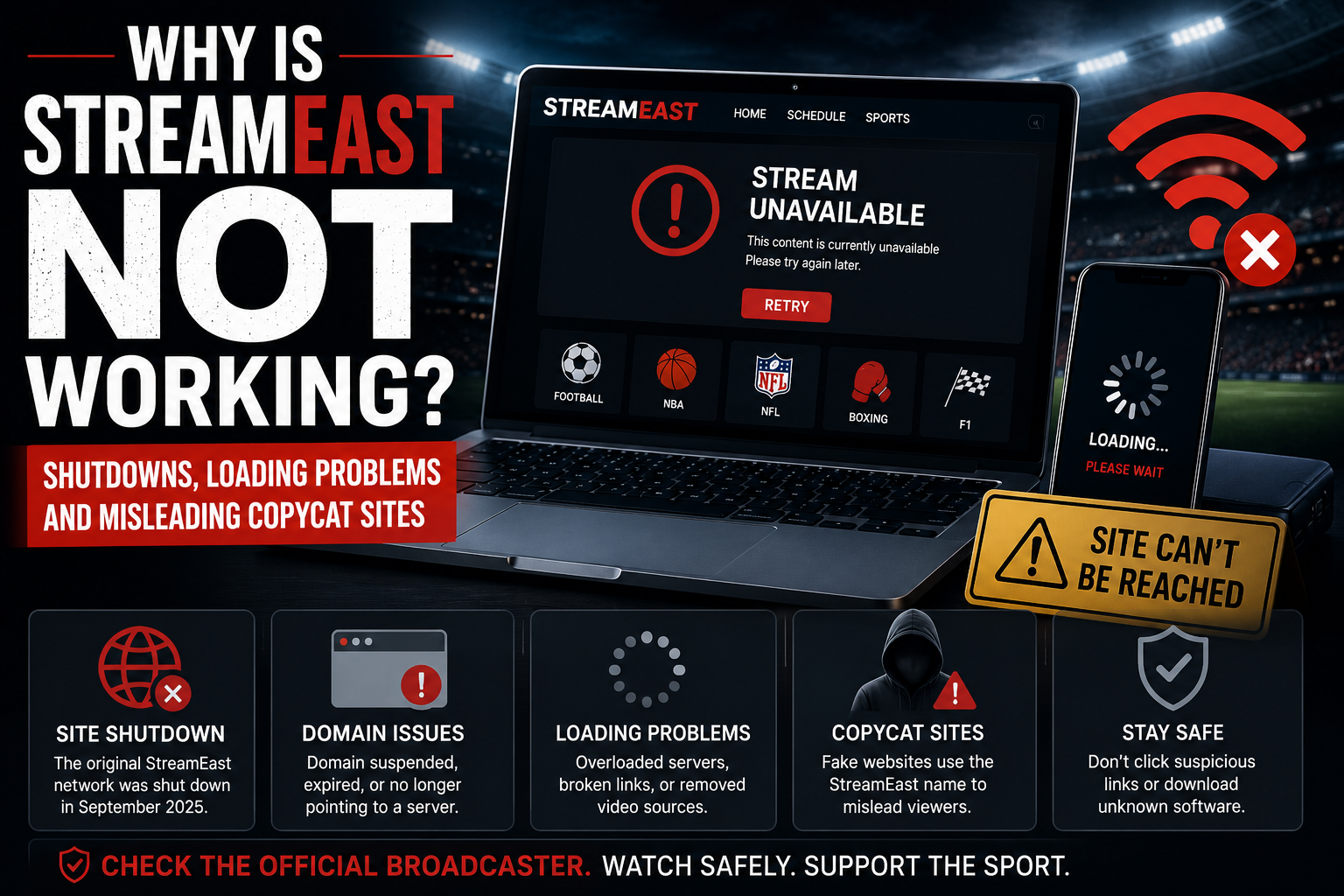
A StreamEast page can stop working for many reasons, but the most important one is often overlooked: the original network was reported shut down in 2025.
That means a failed address is not necessarily experiencing a temporary technical problem. It may belong to the dismantled operation, have been suspended or redirected, or no longer be controlled by the people who once used it.
The Alliance for Creativity and Entertainment announced the shutdown on 3 September 2025 following action involving Egyptian authorities. ACE said the network had operated through 80 associated domains, attracted more than 136 million average monthly visits and received over 1.6 billion visits during its final year.
The StreamEast name can still appear on copied websites and unrelated pages, but those sites should not automatically be treated as replacements for the former platform. A page may use the same colours, logo or event schedule without having any verified connection to the original network.
When a StreamEast-style page does not load, the problem may be caused by a dead domain, an unavailable server, a removed video source, overloaded hosting, broken website code or security protection blocking suspicious behaviour.
The safest response depends on what the browser is showing. Trying random addresses, ignoring security warnings or installing software from an unfamiliar page can turn a simple loading failure into a privacy or security problem.
Why Is StreamEast Not Working?
The most likely explanations fall into two broad groups.
The first group involves the website itself. Its domain may no longer exist, its server may be offline, or the page may have lost access to the video it was attempting to show.
The second group involves the viewer’s browser, device or internet connection. Cached website files may be damaged, the browser may be outdated, or an extension may interfere with the page.
With StreamEast, however, there is a third complication: the name no longer points reliably to one known operation.
The original network used many domains before its reported shutdown. Present-day pages using the same branding may be operated by different people and may behave differently from one another. One may display a schedule but no working video, while another may exist mainly to generate advertising redirects.
A page that worked previously can therefore fail because the service behind it has changed, not because anything is wrong with the visitor’s device.
The Original Network Was Shut Down
ACE described StreamEast as the world’s largest illicit live sports streaming network at the time of the enforcement action.
The network carried unauthorised coverage associated with major football competitions, American sports, boxing, mixed martial arts, Formula 1 and MotoGP. ACE said the affected domains would redirect visitors towards information about legitimate viewing providers.
This history matters when troubleshooting.
Ordinary websites sometimes go offline for a few minutes and return after their operators repair a server. A domain connected with a dismantled streaming operation may not return at all.
Repeatedly refreshing the page, restarting the router or clearing the browser cannot restore a website whose domain has been suspended or whose operator no longer controls its infrastructure.
Readers looking for the wider background can find it in our guide to what happened to StreamEast.
Why Do StreamEast-Looking Pages Still Appear?
The shutdown of a network does not remove every copy of its name and design from the internet.
Old discussions, bookmarks and social posts may continue circulating long after the addresses they mention become outdated. New operators can also register similar domains and reproduce the appearance of a well-known page.
A copied website may call itself the new, official or working version. Those claims are easy to write and difficult for an ordinary visitor to verify.
The use of a familiar logo is equally weak evidence. Website designs, league names, team badges and fixture schedules can all be copied from public sources.
A current page may therefore look convincing while having no relationship with the former network. This is why every address variation belongs in one StreamEast addresses guide rather than being presented as a separate established service.
A Website Address May No Longer Exist
A “server not found” or similar message often means the browser cannot locate the website at the address entered.
The domain may have expired, been suspended or no longer point to an active server. The address may also contain a typing error.
Mozilla’s official troubleshooting guidance explains that messages such as “Server not found” and “Unable to connect” can appear when the browser cannot reach the requested website.
Check the spelling carefully, but do not start trying random variations promoted in comments, pop-ups or unverified social posts.
A minor change in spelling can lead to a completely unrelated website. Copycat operators often rely on people guessing new domain endings after an old address stops working.
When an established authorised broadcaster changes its web address, it can normally confirm the change through its verified company website, application or social accounts. An unauthorised service may provide no reliable way to verify such a move.
“Unable to Connect” Usually Points to the Server
An “unable to connect” message means the browser found an address but could not establish a working connection with the server.
The server may be offline, overloaded, incorrectly configured or refusing requests. A hosting company may also have suspended the account.
This type of problem is usually outside the visitor’s control.
Restarting the browser can rule out a temporary local fault, but repeatedly changing device settings will not repair a remote server. Mozilla includes server availability, connection settings and security software among the possible causes when a browser cannot load a website.
A service without published status information or customer support leaves visitors unable to tell whether the outage is temporary or permanent.
A Blank Page Does Not Always Mean the Site Is Offline
Sometimes the basic page loads, but the screen remains blank or only part of the layout appears.
This can happen when essential scripts fail, stored website data has become corrupted or the page depends on third-party services that are no longer available.
Unofficial streaming sites often assemble their schedules, advertisements and video players from several external sources. The homepage may load while the script responsible for the fixture list or player fails.
A blank screen can also result from a browser extension blocking part of the page. That does not mean the extension is necessarily doing something wrong. Privacy and security tools may block scripts because they track users, open redirects or behave suspiciously.
Disabling every security feature simply to make an unknown streaming page appear is not a sensible solution.
The Schedule Loads but the Video Does Not
A working event list does not prove that a working stream exists.
Upcoming fixtures are public information and can be displayed automatically. The page may know that a match is happening without having access to a video source.
The player may show:
- a black screen;
- a permanent loading symbol;
- an error message;
- an advertisement instead of the event;
- a request to register;
- a prompt to install software;
- a message saying the content is unavailable.
The video could have been removed by its hosting provider, interrupted at the original source or never added in the first place.
If the page claims that a special player, browser extension or download is needed, leave rather than installing unknown software. Modern browsers already support the common technologies used by legitimate video platforms.
The Stream Starts and Then Stops
A live feed may work for several minutes before freezing or disappearing.
This can happen when the source is removed during the event, the hosting server becomes overloaded or the website loses its connection to the original feed.
Major football matches, championship games and headline fights attract sudden increases in traffic. A small or poorly configured server may work before kick-off but fail when thousands of viewers arrive.
Official broadcasters use large delivery networks and adaptive video systems to serve substantial audiences. An unofficial page may depend on fewer servers and provide no technical support when they fail.
A source problem cannot be repaired by repeatedly refreshing the browser. Refreshing may instead reload the advertising layers and create additional redirects.
Why Does StreamEast Keep Buffering?
Buffering can come from either end of the connection.
Inside the home, weak Wi-Fi, limited broadband speed or several devices using the connection at once can affect live video.
At the website’s end, an overloaded server, unstable source or poorly configured player can produce the same visible result.
The page itself may also consume resources. Advertising videos, trackers and scripts can run alongside the stream, increasing memory and data usage.
A useful first check is to see whether a recognised video service plays normally on the same device. When other high-quality video works but one unfamiliar page continues freezing, the problem is more likely to be connected with that website or its source.
Our article on why Stream East keeps buffering looks more closely at connection speed, Wi-Fi and server-side limitations.
Why Does the Page Keep Redirecting?
Repeated redirects are not usually a sign that the visitor’s browser is broken.
Many unofficial streaming pages place advertising layers over the video controls. A button that looks like “play” may open a betting page, software promotion, fake competition or unrelated subscription service.
Returning to the original tab and pressing again may trigger another destination.
A page may also show a false message claiming that the browser needs updating or that the device contains a virus. These warnings are generated by the website and should not be trusted merely because they use the device manufacturer’s name or colours.
The UK National Cyber Security Centre warns that scam pages can be used to steal passwords and personal information or persuade visitors to download malicious software. It advises people not to click links or enter information on suspicious websites.
When a player repeatedly opens unrelated tabs, closing the page is safer than continuing to search for the supposed correct button.
What Does a Privacy or Certificate Warning Mean?
Browsers check whether a website’s connection is protected correctly.
A privacy warning may appear when the site’s security certificate is expired, invalid, issued for another address or otherwise cannot be trusted. Incorrect date and time settings on the device can occasionally cause certificate checks to fail as well.
Chrome explains that its security symbols describe whether the browser considers the connection private and warns when a site does not support a secure HTTPS connection.
The warning does not automatically prove that the website is malicious. It does mean the browser cannot establish the level of trust expected for a normal secure connection.
Do not enter passwords, personal details or card information on a page showing a connection warning.
It is particularly unwise to bypass such a warning for an unfamiliar sports website whose owner cannot be verified. Leaving the page protects the viewer from both accidental data exposure and deliberately deceptive sites.
The Padlock Does Not Prove a Stream Is Legitimate
The opposite misunderstanding also occurs.
A page may show a padlock and use HTTPS, leading visitors to assume it is genuine. The padlock only means that information travelling between the browser and the site is encrypted.
It does not prove:
- that the operator owns the sports rights;
- that the page is connected with the former StreamEast network;
- that downloads are safe;
- that advertising partners are trustworthy;
- that payment details will be used honestly.
A fraudulent page can have a correctly configured encrypted connection. Technical security and legal authorisation are separate questions.
Could the Browser Cache Be Causing the Problem?
Yes, especially when the page recently changed.
Browsers store copies of images, scripts, cookies and other site information so pages can load more quickly. If those stored files become outdated or corrupted, the website may display incorrectly.
Chrome, Firefox and Safari all provide official options for removing stored website data. Google explains how Chrome users can remove data and permissions associated with a specific site, while Mozilla identifies clearing cookies and cached files as a standard troubleshooting step for pages that will not load correctly. Apple gives similar guidance for Safari.
Clearing site data can sign the user out and remove stored preferences.
It may repair a normal technical fault, but it will not restore a suspended domain, missing server or removed video feed.
Safe Checks That Can Rule Out a Device Problem
A few basic steps can help determine whether the issue is local without weakening security.
Check whether other websites work
Open a well-known site or recognised video service.
When nothing loads, the home connection or device may be the problem. When everything except the StreamEast-style page works, the issue is more likely to be with that specific website.
Reload the page once
A temporary failure can sometimes clear after an ordinary reload.
Repeatedly refreshing an unstable streaming page is rarely useful, particularly when each reload triggers new advertisements.
Restart the browser
Close the browser fully and open it again.
This can clear a temporary process or memory problem without changing security settings.
Restart the device
Apple includes restarting the device among its recommended steps when Safari will not load websites correctly.
A restart can resolve temporary network or application problems, but it cannot repair an unavailable domain.
Update the browser and operating system
Current software receives security and compatibility improvements.
Apple’s Safari troubleshooting guidance recommends installing software updates when pages do not work as expected.
Updates should come through the device’s official settings or recognised application store, never from a pop-up on a sports-streaming page.
Remove only the affected site’s stored data
Clearing data for one website is often preferable to deleting the entire browsing history.
Chrome allows users to search for a particular site under stored data and permissions, then remove its information.
If the website’s server or domain is gone, this step will make no difference.
Test another current browser
When a recognised website works in one browser but not another, stored data, settings or an extension may be involved.
Do not use an outdated browser simply because it ignores a warning displayed by a newer one.
What Not to Do When a Page Fails
Troubleshooting should not require surrendering security.
Do not:
- disable antivirus protection;
- ignore a browser privacy warning;
- install an unknown video player;
- add an unfamiliar extension;
- permit software from unknown sources;
- enter card details for free verification;
- allow notifications just to continue;
- follow addresses supplied by pop-up advertisements;
- download a mobile application directly from an unverified page;
- keep pressing a fake play button through repeated redirects.
A legitimate broadcaster may ask a subscriber to sign in, update its official application or check an internet connection. It should not require the viewer to weaken the entire device to watch ordinary video.
Why Changing DNS Is Not a Reliable Answer
Some online discussions recommend changing DNS settings whenever a website fails.
DNS is the system that translates a written address into the server location used by the browser. A DNS problem can prevent a legitimate website from being found, but changing providers is not a universal solution.
When a domain has expired, been suspended or no longer points to an active server, a different DNS service cannot recreate it.
Changing network settings can also create confusion and may interfere with filters or protections already configured by the household, workplace or internet provider.
Anyone troubleshooting an ordinary connection problem should use guidance from their internet provider or device manufacturer rather than following instructions posted by an unknown streaming page.
Why a VPN May Make Loading Problems Worse
A VPN changes the route used by internet traffic.
It can be useful for legitimate privacy, security and remote-working purposes, but it can also introduce extra delay, connection failures or conflicts with a website.
Some pages block traffic associated with particular VPN servers. In other cases, the VPN provider itself may be experiencing an outage.
Turning off a trusted VPN briefly can help diagnose a normal website problem, but using a VPN to bypass a restriction does not restore an unavailable server or make an unauthorised source legitimate.
Apple includes VPN and other security software among the items to check when Safari behaves unexpectedly, while Mozilla also identifies proxy and connection settings as possible causes of browser-specific failures.
Why StreamEast May Not Work on a Phone
Mobile browsers can struggle with pages containing many advertisements, scripts and embedded players.
Limited memory may cause the tab to reload, especially when several other applications are open. Mobile data restrictions or weak signal strength can also interrupt live video.
The small screen creates another problem: fake controls are harder to distinguish from real ones. A visitor may believe the page has failed when an advertising layer is actually covering the player.
Do not install a file offered by the website as a mobile fix.
Applications downloaded outside recognised stores may request access to storage, notifications and other parts of the phone. A loading problem does not justify granting an unknown operator wider device access.
Chrome and Safari both provide official options for deleting browser data on mobile devices when ordinary websites are not loading correctly.
Why StreamEast May Not Work on a Smart TV
Smart-TV browsers are often less capable than browsers on current computers and phones.
They may lack support for particular video technologies, receive updates less frequently or struggle with advertising-heavy pages.
Navigation with a television remote also makes it difficult to close pop-ups or inspect the address behind a button.
Casting from a phone can improve navigation, but it does not repair a missing video source. It also does not make an unauthorised broadcast safer or legal.
When the goal is dependable large-screen viewing, the authorised broadcaster’s smart-TV application or supported casting option is usually the more reliable choice.
The Page Says an Ad Blocker Is Causing the Problem
Some websites refuse to continue when they detect content-blocking software.
The page may be technically correct that part of its advertising system is being blocked. That does not mean the visitor should disable protection for an unknown service.
Content blockers, browser privacy tools and security extensions can stop trackers, redirects and other scripts. An unofficial page may depend on exactly those elements for revenue.
Disabling a blocker could make the player appear, but it might also expose the visitor to more intrusive advertising or suspicious destinations.
A safer decision is to use a legitimate service that does not require protection to be weakened.
The Page Asks for Notification Permission
Notification access is not needed to play ordinary live video.
A site may claim that pressing “Allow” confirms the visitor is human or unlocks the stream. In reality, the permission allows it to send alerts after the page has been closed.
Those alerts can imitate security warnings, messages and prize offers.
If permission was granted accidentally, remove it through the browser’s site settings rather than interacting with the alerts.
The NCSC advises users not to enter personal information or click links on websites that feel suspicious, even when they are not certain the site is a scam.
How to Recognise a Misleading Copycat
A copycat may be more interested in the StreamEast audience than in providing sport.
Warning signs include:
- several claims of being the only official address;
- poor or inconsistent spelling across the page;
- a domain that does not match the displayed brand;
- no identifiable company or contact information;
- fixture pages created far in advance with no usable player;
- card requests for a supposedly free service;
- downloads promoted before the video begins;
- copied social-media icons that lead nowhere;
- fake viewer counters or chat messages;
- repeated movement between unrelated domains.
None of these signs alone proves fraud. Together, they show that the page should not be trusted with accounts, payments or software permissions.
The dedicated StreamEast addresses guide explains why familiar names and similar domains should be treated separately from verified ownership.
What to Do After a Suspicious Redirect
Close the new tab without interacting with it.
Do not press buttons inside a false virus alert, even when one is labelled “cancel” or “close.” Use the browser’s own tab control.
Check the download list to make sure nothing was saved. Review notification permissions if the page asked for them.
When login details were entered, change the password and update every other account where it was reused. Begin with email, since email access can be used to reset other passwords.
When card details were submitted, contact the bank or card provider through its official application, website or the number printed on the card.
Suspicious websites can also be reported to the NCSC, which accepts reports even when the person is not certain that the page is a scam.
Our StreamEast safety guide provides more detailed steps for handling downloads, passwords and payment information.
What If the Page Worked Yesterday?
A previous successful visit does not guarantee that the page remains unchanged.
A domain can change ownership, switch advertising providers or begin redirecting to a different service. The embedded player may also come from a third party that changes independently of the main page.
This is particularly important with names connected to a dismantled network.
A visitor may think they are returning to the same service, while the address now leads to an imitation or repurposed page.
Trust should be based on verifiable ownership and authorisation, not simply on the fact that a video played during an earlier visit.
Should You Look for a Mirror?
Searching for mirrors creates additional risk.
The term is often used as though it guarantees that a new address is an exact copy controlled by the same organisation. In practice, anyone can describe a website as a mirror.
An imitation may use the label to attract people whose previous address has stopped working.
Lists posted in comments, forums or pop-up messages can become outdated quickly. They may also be created specifically to direct visitors towards advertising, phishing forms or unsafe downloads.
For this reason, this website does not publish working mirror lists. Address variations are discussed for identification and safety, not as access instructions.
Finding the Actual Broadcaster Is Usually Faster
When a match is about to begin, viewers can spend a considerable amount of time refreshing broken pages, closing adverts and guessing addresses.
Checking the official broadcaster is often more direct.
Start with the league, tournament, club, promoter or governing body. Confirm which company has the UK rights, then check the broadcaster’s own schedule for the specific event.
The event may be:
- included in an existing subscription;
- available through a monthly pass;
- sold as a pay-per-view broadcast;
- carried on free-to-air television;
- available through an official league service;
- covered through radio, live text or authorised highlights.
Our guide to finding the official sports broadcaster explains how to confirm coverage, while legal StreamEast alternatives in the UK looks at more affordable and flexible options.
The Problem May Not Be Your Device
A failed StreamEast page can create the impression that the phone, television, browser or broadband connection is at fault.
Sometimes it is. Stored site data, weak Wi-Fi or an outdated browser can prevent normal pages from loading.
In many cases, however, the problem lies with the website itself.
The original network was reported shut down. Old domains may no longer operate, and current lookalikes may depend on unreliable servers or nonexistent video feeds.
No amount of local troubleshooting can repair a dismantled service, a suspended domain or a player that never contained a real stream.
Perform a few safe checks, keep security protection active and leave when the page demands unusual permissions or software.
Stream-east.org.uk is an independent informational publication. It is not affiliated with the former StreamEast network or with current pages using similar names. It does not host live sporting events, provide working mirror lists or link to unauthorised broadcasts.